For AI-assistant users

Your assistant,
running your music

Connect Claude Desktop, Claude Code or any MCP client, and it can drive Vibo like a listener would — and care for your collection like a librarian: build playlists, fix tags, organise folders, download tracks and upgrade copies. You decide how much it’s allowed to change.

Setup

Connected in two clicks

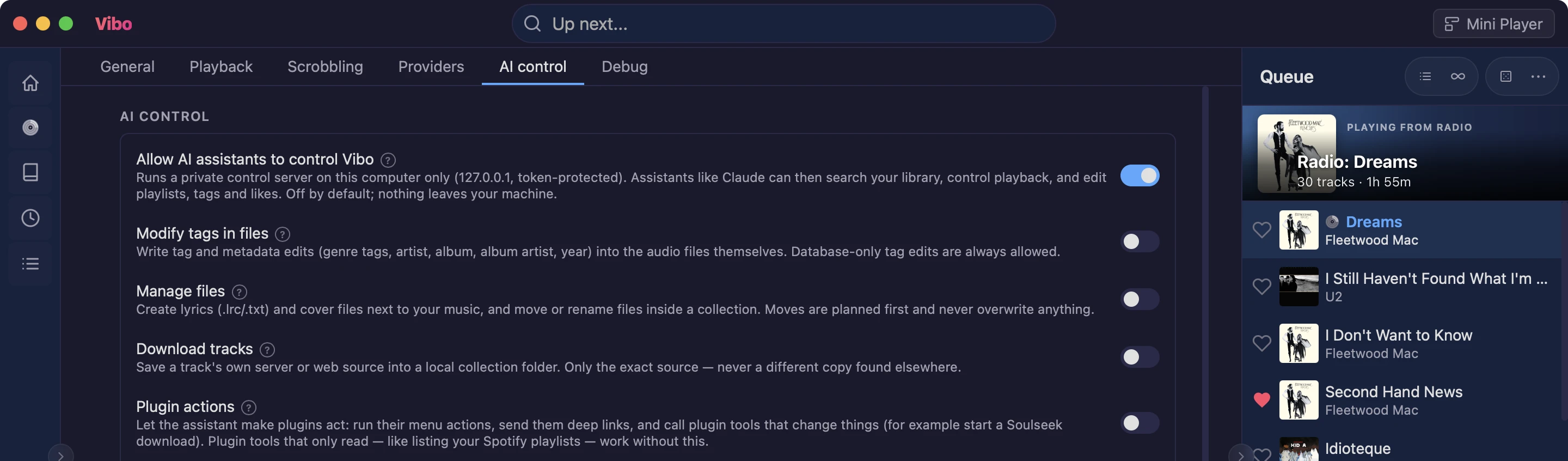
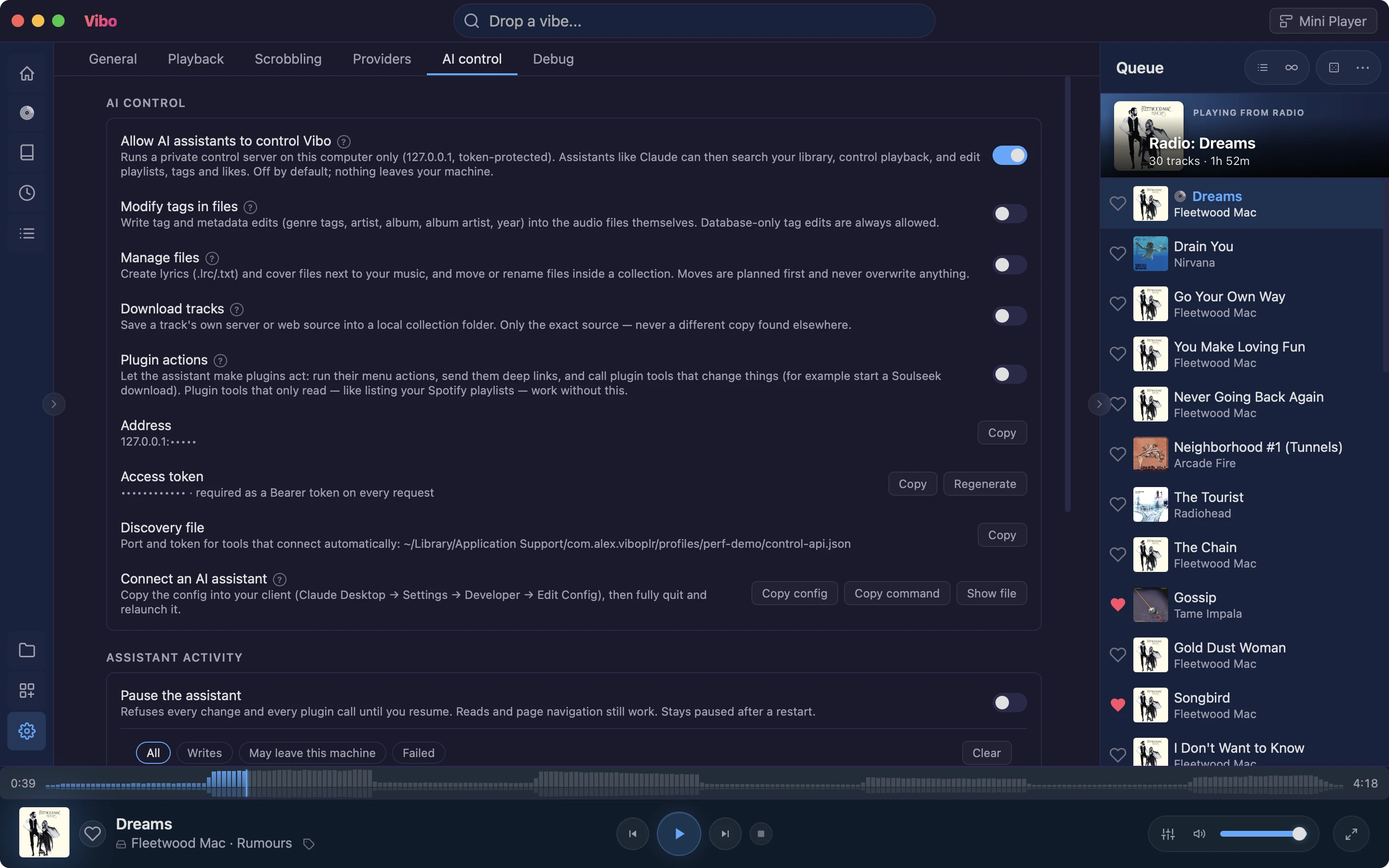
Switch on AI control in Settings → AI control. Then press Copy config for Claude Desktop, or Copy command for Claude Code, and paste. The MCP server ships inside Vibo — nothing to install but Node.

Claude Desktop, Claude Code, Cursor or any MCP client
Runs on your computer only — the access token never reaches the chat
Off until you turn it on
Connect an assistant →
Settings → AI control with the control server switched on: the permission switches, the redacted address and token, and the Copy config and Copy command buttons for connecting an assistant
What it can do

Everything a listener does

Your assistant can search and query your library and listening history, control playback and the queue, start radio stations, create and edit playlists, like songs and tag them. It can read lyrics, bios and reviews too — so “which of my songs has the line about the river?” gets a real answer.

“What did I play most last March?”
“Tag every Boards of Canada track as ambient”
Your plugins become tools too: Spotify playlists, Soulseek searchesplugin
“Can you scrobble my plays?” — it finds the plugin in the gallery and asks to install it; you approve in Vibo
Now Playing

Liner notes, on cue

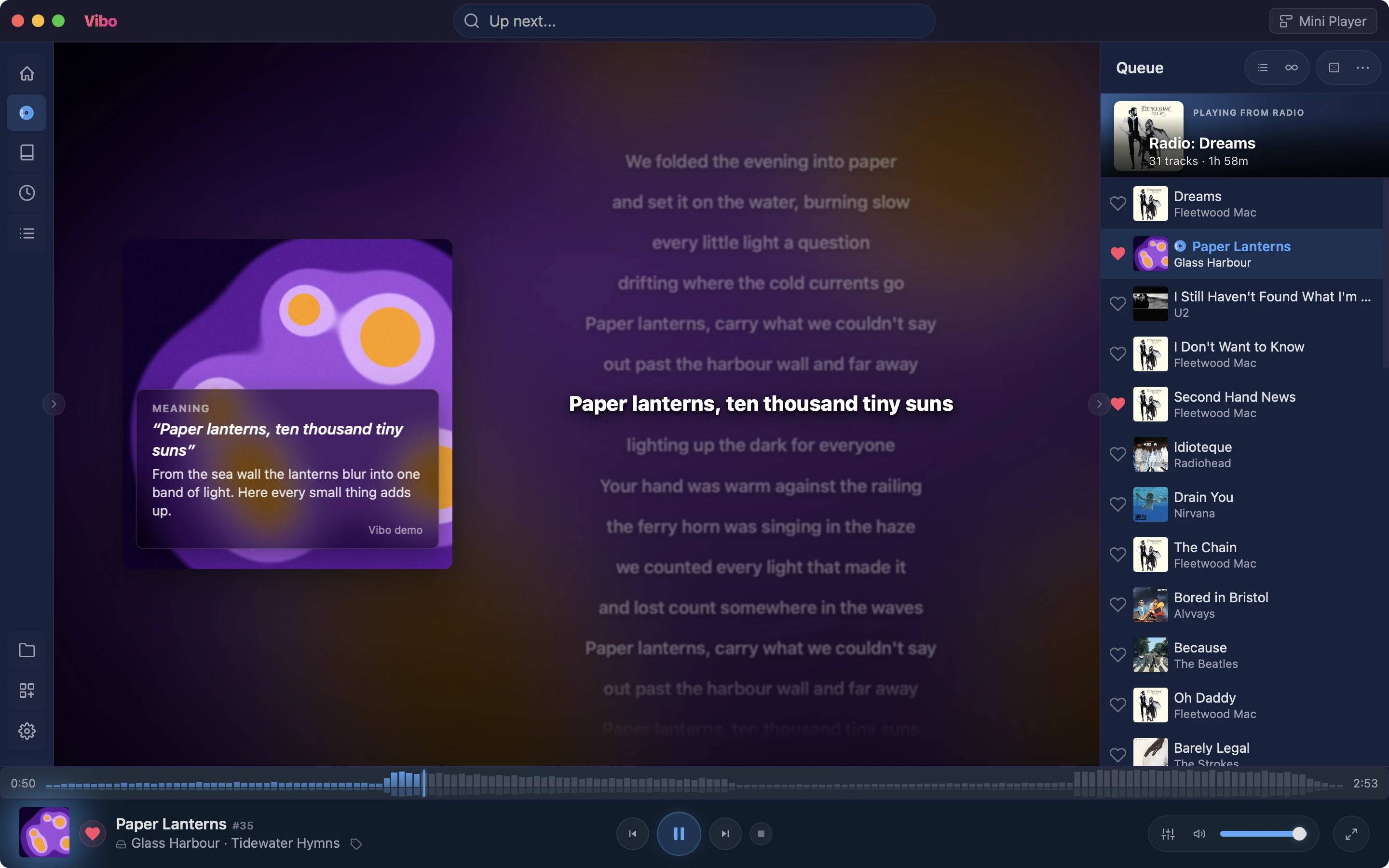
Ask for a cue sheet and your assistant reads the song's lyrics, story, bio and album review, then writes notes that play on the song's own clock: what a line means, right as it's sung, and facts for the instrumental stretches. Ask for a clip and it goes further — moving text and pictures across the whole Now Playing view, like a lyric video. Photos come from your image plugins, credited, never made up.

“Explain the lyrics of this song as it plays”
“Make a lyric video clip for this track”
“Do cue cards for the rest of my queue”
Real artist photos in the cardsplugin
Now Playing with an assistant-written cue card over the album art explaining the lyric line being sung
Collection care

The tedious work, done by asking

Hand over the jobs nobody wants to do by hand. Your assistant can clean up tags across hundreds of tracks and write them into the files, file a compilation under Various Artists, save synced lyrics and cover art next to your music, and sort a messy folder into Artist/Album.

“Merge ‘Hip-Hop’, ‘hiphop’ and ‘Hip Hop’ into one tag”
“Add a cover.jpg to every album that’s missing one”
“Reorganise this folder into Artist/Album” — you see the full plan before a single file moves
Getting music

Download and upgrade, hands-free

Ask for a track from your Subsonic or Navidrome server and it lands in your local folder, tagged and in the library. With a download plugin installed, your assistant can fetch through it too. Got an MP3 you’d rather have in FLAC? It stages the better copy, shows you both side by side, and only swaps once you say yes — likes, tags and playlists stay put.

“Download this album from my server into my Music folder”
“Find the music video for this song and download it”plugin
“Replace my low-bitrate copies of this album”plugin
Permissions

You decide what it may change

Listening and organising need no permission. Anything that touches your files sits behind its own switch, and all of them start off. Whatever you switch on, your assistant can never delete a track, a playlist or a file, and can never install anything.

Separate switches: write file tags, manage files, download, plugin actions
File writes stay inside your music folders, and replaced files go to the trash
Moves and file swaps are planned first, then confirmed
About assistant permissions →
Settings → AI control: the control-server switch on, and separate switches for file tags, managing files, downloads and plugin actions, all off

Also for you

Ready to try Vibo?

Free, open source, and built end-to-end with an AI assistant — every feature, every detail.