Shrink Vibo to a strip that floats over your editor, drive it from the keyboard, and script it when you feel like it. It was built by a coder who wanted exactly that.
Mini player
Always there, never in the way
Press ⇧⌘M and the whole app becomes a slim bar that stays on top of your editor. Hover it for more controls, scroll on it to change the volume, or just start typing to search and play something new.
Three heights and three widths, from a 24px sliver up
Hover expands without stealing focus from your editor
Remembers where you put it, per monitor setup
Optional: minimizing the window switches to the mini player
Keyboard
Hands stay on the keys
Everything you do while working has a shortcut, and the media keys on your keyboard control Vibo system-wide, whichever app has focus. On Windows, ⌘ is Ctrl.
Global media keys: play/pause, next, previous, stop
Track lists are fully keyboard-navigable
SpacePlay / pause⌘KSearch everything⌘←⌘→Previous / next track←→Seek 15 seconds⌘LLike what’s playing⌘MMute⇧⌘MMini player⌘PShow / hide the queue⌘FFullscreen
Search
One shortcut, any song
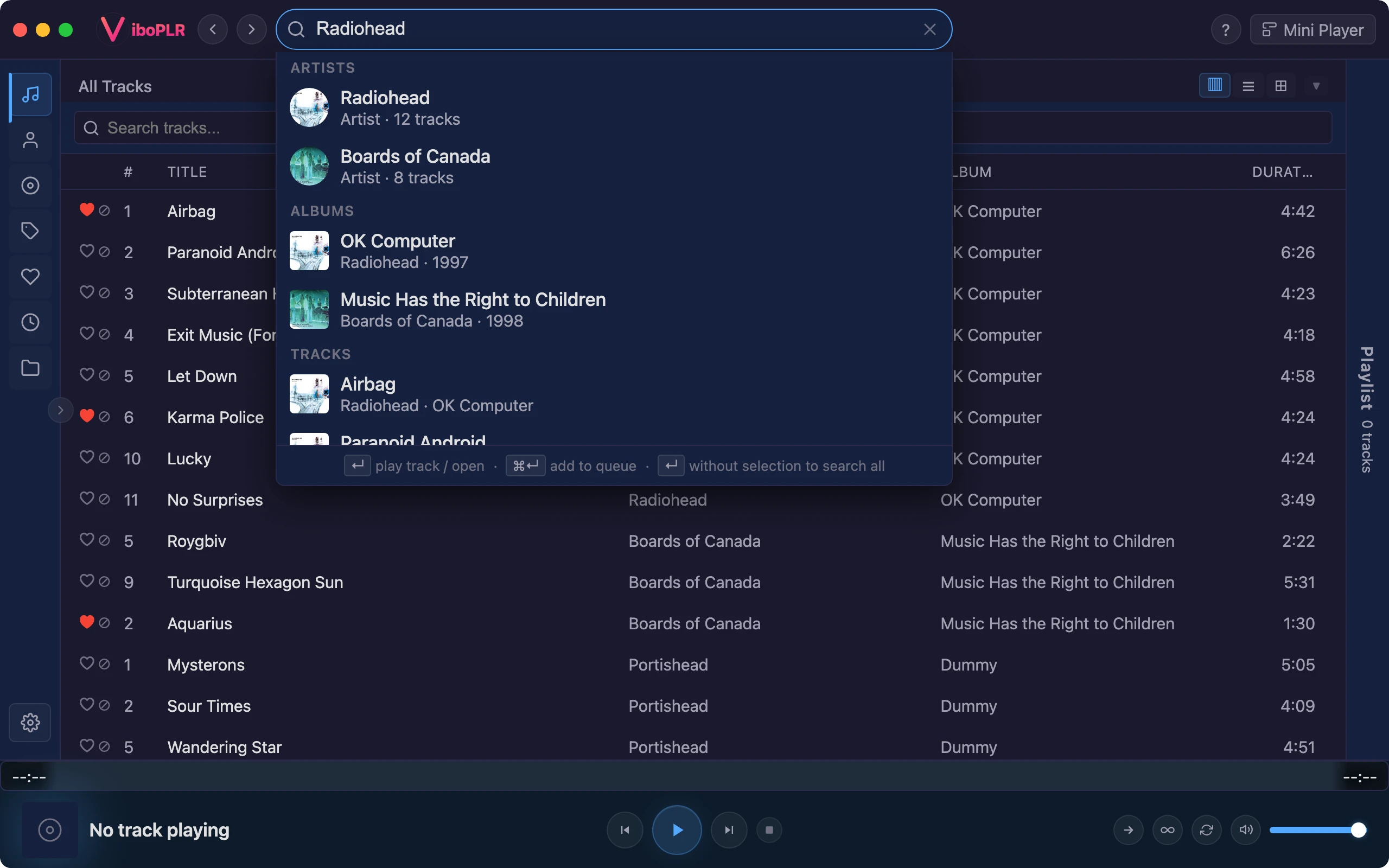
⌘K searches your whole library as you type — artists, albums, tracks — ignoring accents and case. Enter plays, ⌘Enter queues. Installed catalogs like YouTube or Spotify are one more keypress away, and only searched when you ask.
Library results instantly, from a full-text index
Plugin catalogs on demandplugin
Scriptable
A player with an API
Turn on the control API and Vibo answers plain HTTP on your own machine: play, skip, queue, start a radio, query your library. Bind it to a hotkey, a shell alias or your status bar. Want more? Plugins are a manifest and a JavaScript file.
Local only, token-protected, off by default
Rust and Tauri on the system webview — no bundled Chromium
# skip to the next track
curl -X POST "http://127.0.0.1:$PORT/v1/playback" \
  -H "Authorization: Bearer $TOKEN" \
  -H "Content-Type: application/json" \
  -d '{"action": "next"}'

# start a radio station from a song
curl -X POST "http://127.0.0.1:$PORT/v1/radio" \
  -H "Authorization: Bearer $TOKEN" \
  -H "Content-Type: application/json" \
  -d '{"title": "Hurricane", "artistName": "Kyuss"}'